Gate counts, dock dwell times and yard occupancy for logistics sites.
Count trucks, vans, cars and people in and out of every gate, time how long vehicles wait at docks and in waiting areas, and see how full your yard and car park are. Measured with radar and LiDAR at your site, day and night.
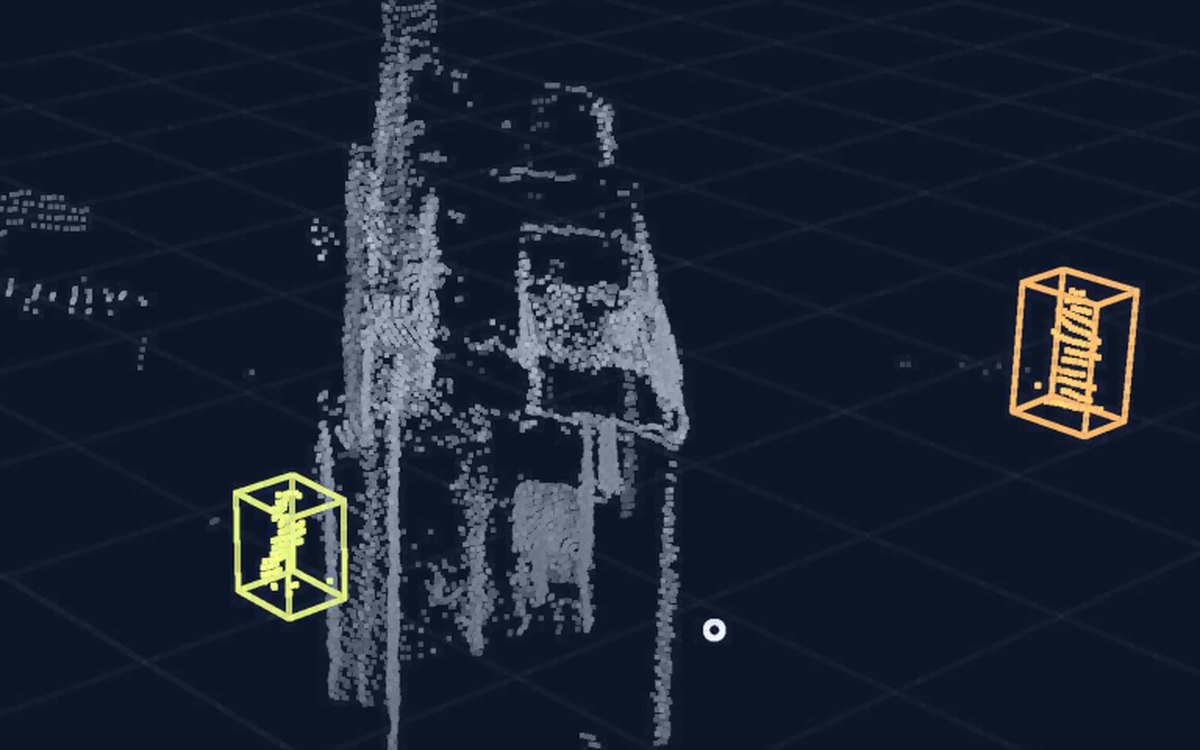
Four questions it answers
Each one becomes events in the log, figures on the console and columns in the export.

Gate in and out, by class
How many trucks, vans, cars and people came in and went out, per gate, per hour and per day?
You getCounts per gate, class and direction
Dwell at docks and waiting areas
How long does a truck wait before it reaches a dock, and how long does it stay there?
You getDwell time per visit, per dock and per waiting area
Yard and parking occupancy
How many places are taken in the yard, the truck parking and the car park, now and over the day?
You getLive occupancy and a daily profile per zone
Zone alerts
A person in a vehicle-only zone, a vehicle parked where it should not be, an entry after hours.
Alerts and records, not a safety system.
You getAn alarm on the console, by e-mail or by SMS, and a record in the event log
Where the sensors go
A typical layout. The positions for your site come out of the site visit.
The data you get
Every crossing, visit and alarm is an event in the log. The console shows them on the site map; the same data comes out as CSV files for your own tools.
- We do not read number plates; a visit is followed as an anonymous track from gate to dock where the sensors cover the route between them.
- Data comes out as CSV; connection to your yard or dock system is checked during feasibility.
Event log
Example of the export format, not measured data
| Time | Gate / zone | Class | Event | Dwell |
|---|---|---|---|---|
| 07:31:08 | Gate 1 | Truck | In | — |
| 07:31:40 | Waiting area | Truck | Enter | — |
| 07:42:52 | Waiting area | Truck | Exit | 00:11:12 |
| 07:43:30 | Dock 3 | Truck | Enter | — |
| 07:58:17 | Gate 2 | Van | Out | — |
| 08:05:44 | Zone B · vehicles only | Person | Alarm | — |
| 08:31:02 | Dock 3 | Truck | Exit | 00:47:32 |
CSV export · Daily summary
CSV export
Example of the export format, not measured data
timestamp,zone_id,class,event,dwell_s
2026-10-01T07:31:08,gate_1,truck,in,
2026-10-01T07:42:52,waiting_area,truck,exit,672
2026-10-01T07:58:17,gate_2,van,out,
2026-10-01T08:05:44,zone_b,person,alarm,
2026-10-01T08:31:02,dock_3,truck,exit,2852
Daily summary
- Per gate: vehicles and people in and out, by class, per hour and per day
- Per dock and waiting area: number of visits, average and longest dwell
- Per zone: occupancy over the day, the peak and when it happened
- Alarms: count per zone and type, each linked to its event in the log
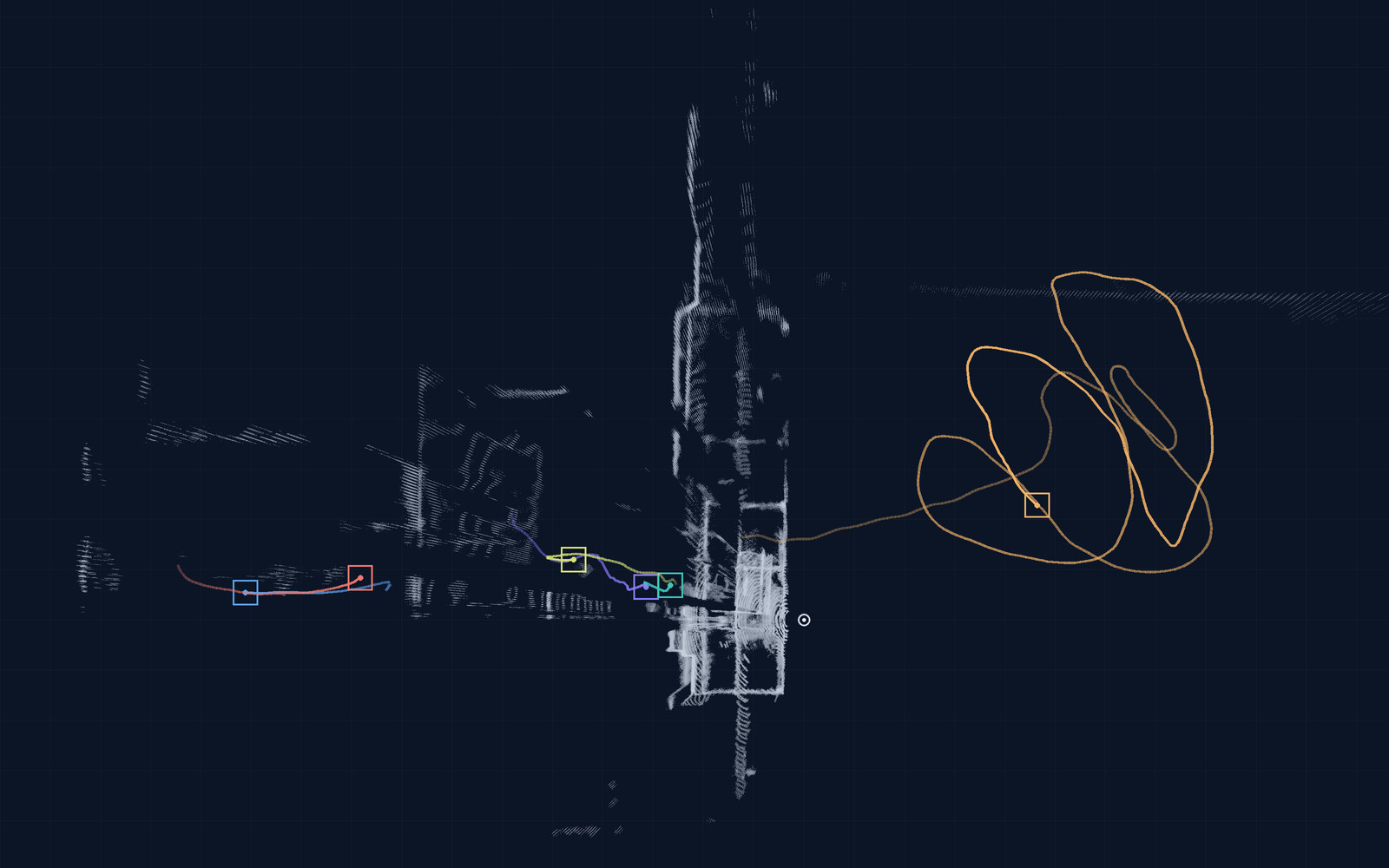
The console
Site map with live tracks, zones you draw yourself, alarms, the event log and CSV export, in a browser.
What stays on site
- LiDAR and radar measure distance, position, shape and speed. They do not capture faces or identifiable images.
- A camera is optional. Where you want one, we set it up with you: what it sees, what is stored, for how long and who can view it.
- The edge computer at your site does the processing. Counts and events go to the console, which runs on servers within the EU, and to the exports, and alerts can also be sent by e-mail or SMS; images are not sent off site unless agreed.
What we install, what you provide
We install the radar and LiDAR units, a camera where agreed, the edge computer and the console; you provide a mounting point and power for each sensor, a network connection or a place with mobile coverage, and the reference data for the evaluation. The full list, on the pilot page →
Day, night and weather
Radar and LiDAR need no light, so the counts continue at night. Radar is largely unaffected by rain and fog; dense fog and heavy snow shorten what LiDAR sees, and we position the two so that one covers for the other. A camera needs light.
Start with one gate
A pilot on one gate or one area, with the success criteria agreed before we install.
Tell us about your gates and yard
Which gates, docks or zones, and what you want to know about them.
What you receive, and attachments
- A first sensor layout for your gates and yard
- A proposal for a pilot on one gate or one area
- A quote for your site
You can attach a site plan or photos here, or send them by email later.